# OR Port Check

The ORPort is where a relay listens for incoming connections. The ORPort self-test is a verification process for its reachability and functionality. A successful test, denoted by a green log message, confirms proper operation. However, a yellow or red log message suggests a potential issue with configuration or network connectivity.

### Install Nyx

```bash
sudo apt-get install nyx --yes
```

### Open Nyx

<pre class="language-bash" data-full-width="false"><code class="lang-bash"><strong>sudo nyx
</strong></code></pre>

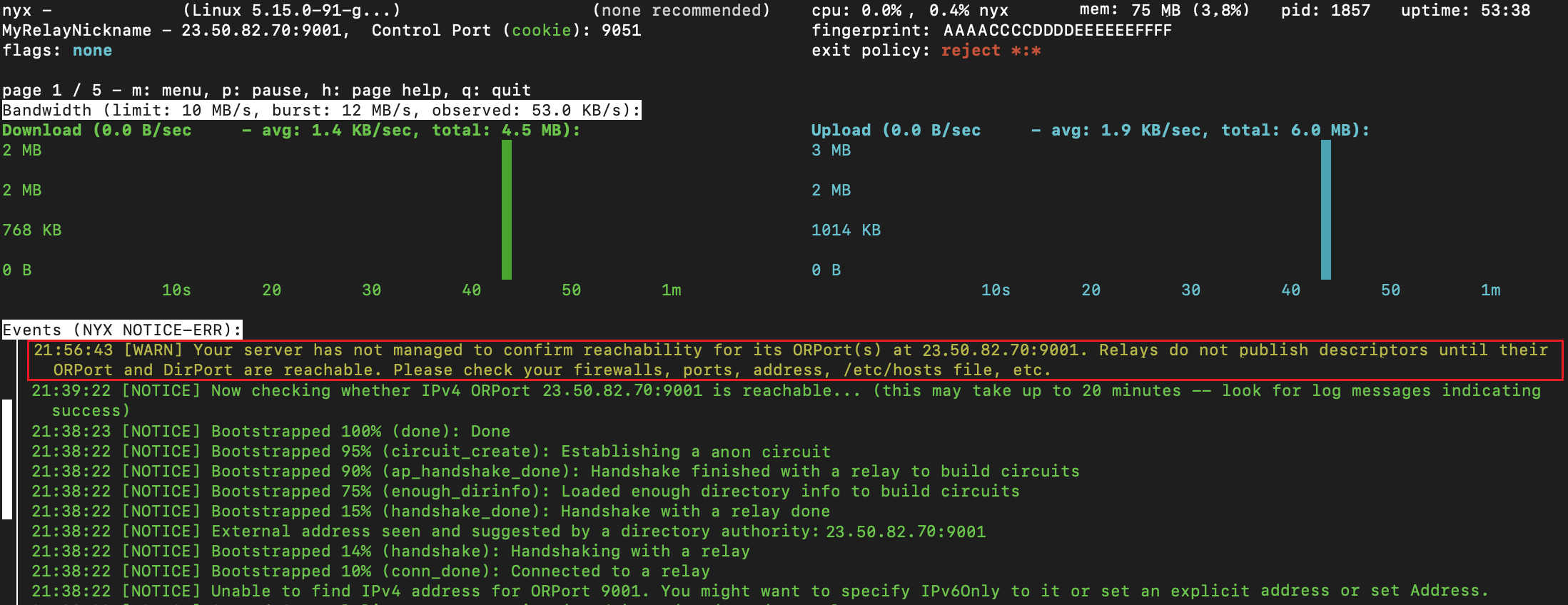
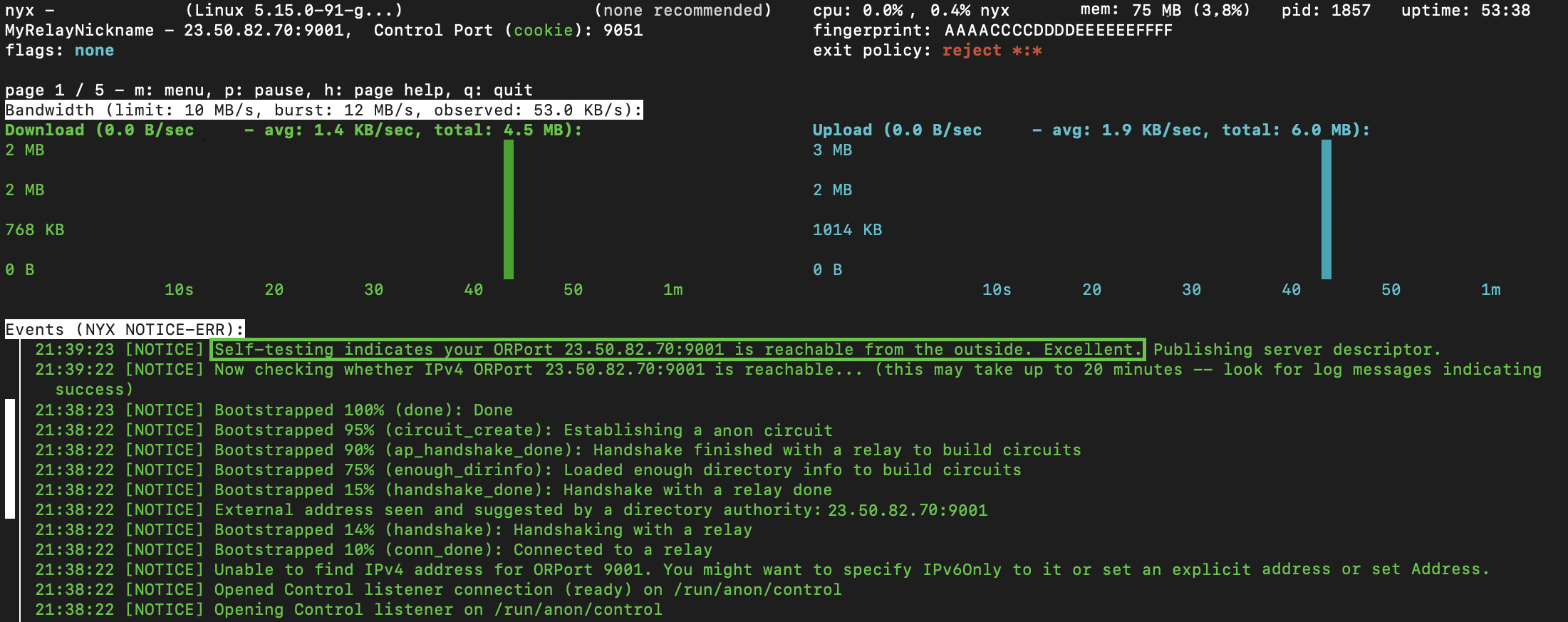
**ORPort Reachability** typically confirms within a minute when functioning correctly. A green-marked log message confirms the successful operation of the relay. No further action is needed as the relay is now reachable from the internet.

<div align="left"><figure><img src="https://content.gitbook.com/content/AA9P3lN6X0LnMGWCOpyt/blobs/FQ4aiCxDOQ7C4FjcJSsi/image.png" alt="" width="375"><figcaption><p>Self-testing indicates your ORPort &#x3C;public IP> is reachable from the outside.</p></figcaption></figure></div>

A WARN log message (marked in red rectangle below) signals an issue, indicating that the relay is not operating successfully. The two most common issues are:

1. **Port Forward Configuration:**
   * [The port forward configuration](https://docs.anyone.io/relay/network/port-forward) is either missing or incorrectly set up in your router.
2. **CGNAT Enabled by ISP:**
   * Your router may lack its own public IPv4 address, as your Internet Service Provider (ISP) has enabled [Carrier-Grade Network Address Translation (CGNAT)](https://docs.anyone.io/relay/troubleshooting/reachability) for your internet service.

<div align="left"><figure><img src="https://content.gitbook.com/content/AA9P3lN6X0LnMGWCOpyt/blobs/XEr3tBtCifpKfc2XOzI6/image.png" alt="" width="375"><figcaption><p>Your server has not managed to confirm reachability..</p></figcaption></figure></div>