> For the complete documentation index, see [llms.txt](https://docs.anyone.io/llms.txt). Markdown versions of documentation pages are available by appending `.md` to page URLs; this page is available as [Markdown](https://docs.anyone.io/hardware/hw-updates/update-anon.md).
# Anon Update (WebUI)
How to Update the Anon Service on the Hardware Relay
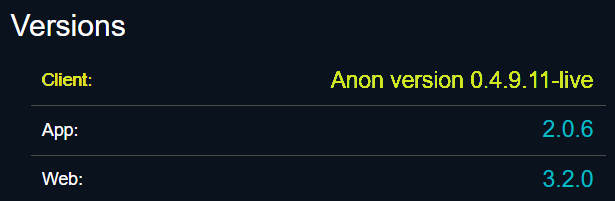
The Anon version running on your device can be seen on the [**Home**](broken://pages/r6k1tGqfNcH1CtHH9oAz) page under **Versions**.
Once in a while the Anon packages are being updated and updates don't happen automatically on hardware devices.
Latest "live" version of Anon can be seen on GitHub Releases or in the Anyone repository.\
\
### Trigger the System to Update Anon
When the relay is turned OFF and ON again it will be triggered to look for and install the latest version of the Anon package.
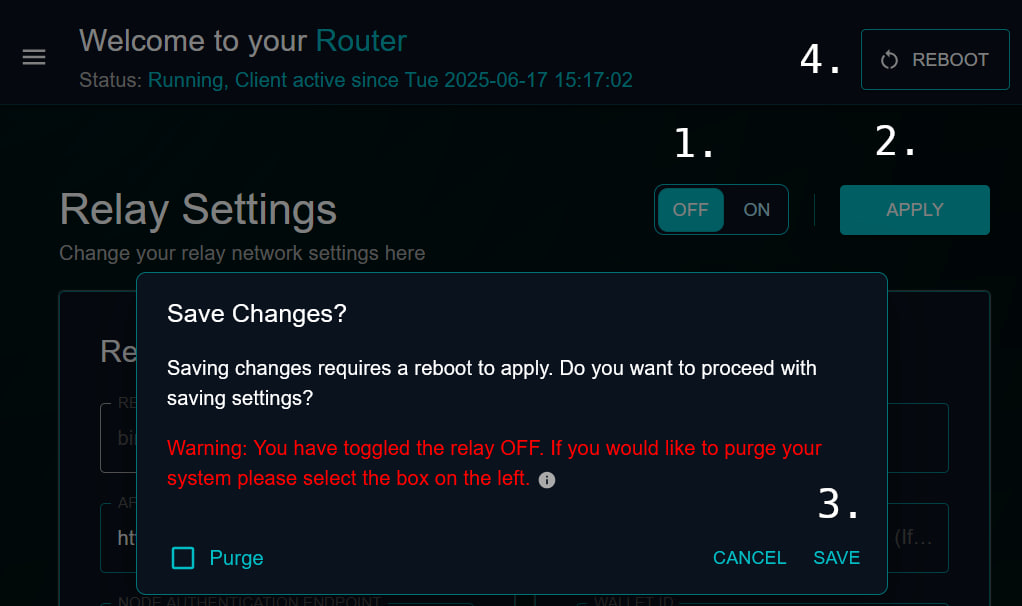
Go to the [**Relay Settings**](broken://pages/rJYIM8hzDIrNH9HccAob) page in the control panel to turn OFF the relay function.
1. Toggle the **ON/OFF** button to the **OFF** position.
2. Click **APPLY**.
3. Click **SAVE** (make sure you do **NOT** tick the [Purge](broken://pages/rJYIM8hzDIrNH9HccAob#factory-restore-the-relay) box).
4. **REBOOT** the device to apply the change.
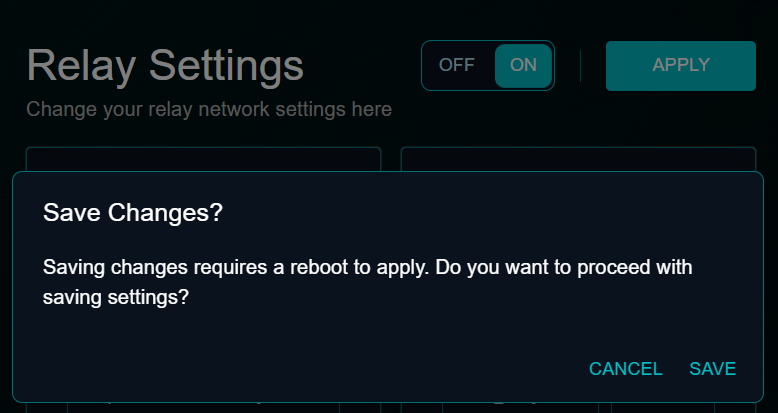
Now, repeat the same steps to turn it back **ON.**
6. Toggle the **ON/OFF** button to the **ON** position.
7. Click **APPLY**.
8. Click **SAVE** again.
9. **REBOOT** the device one more time.
Follow steps .. 6, 7, 8, 9
{% hint style="info" %}
Operators will be able to update the service from a simplified setting in later versions of the Web UI.
{% endhint %}