> For the complete documentation index, see [llms.txt](https://docs.anyone.io/llms.txt). Markdown versions of documentation pages are available by appending `.md` to page URLs; this page is available as [Markdown](https://docs.anyone.io/dashboard/use.md).
# Using Dashboard
This guide will help you navigate the Anyone Protocol Rewards Dashboard and manage your relay operations. On this page you will find the actions you can perform, with detailed instructions.
#### Contents of this page:
[Connecting EVM Wallet](#connecting-evm-wallet)
[Locking Anyone Tokens](#locking-anyone-tokens) - (**Not** required for [Anyone Hardware Relays](https://www.anyone.io/hardware))
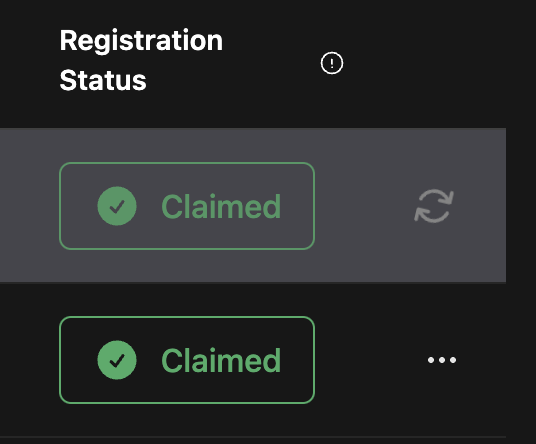
[Claim Registered Relays](#claim-registered-relays)
[Redeem Contribution Rewards](#redeem-contribution-rewards)
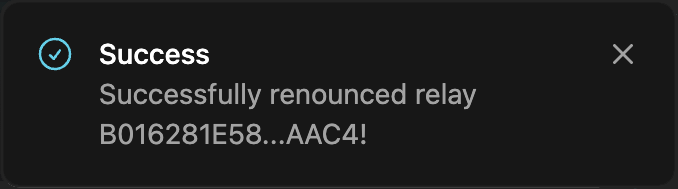
[Renounce Claimed Relays](#renounce-claimed-relays)
## Connecting EVM Wallet
#### Connect your Ethereum wallet to the dashboard.
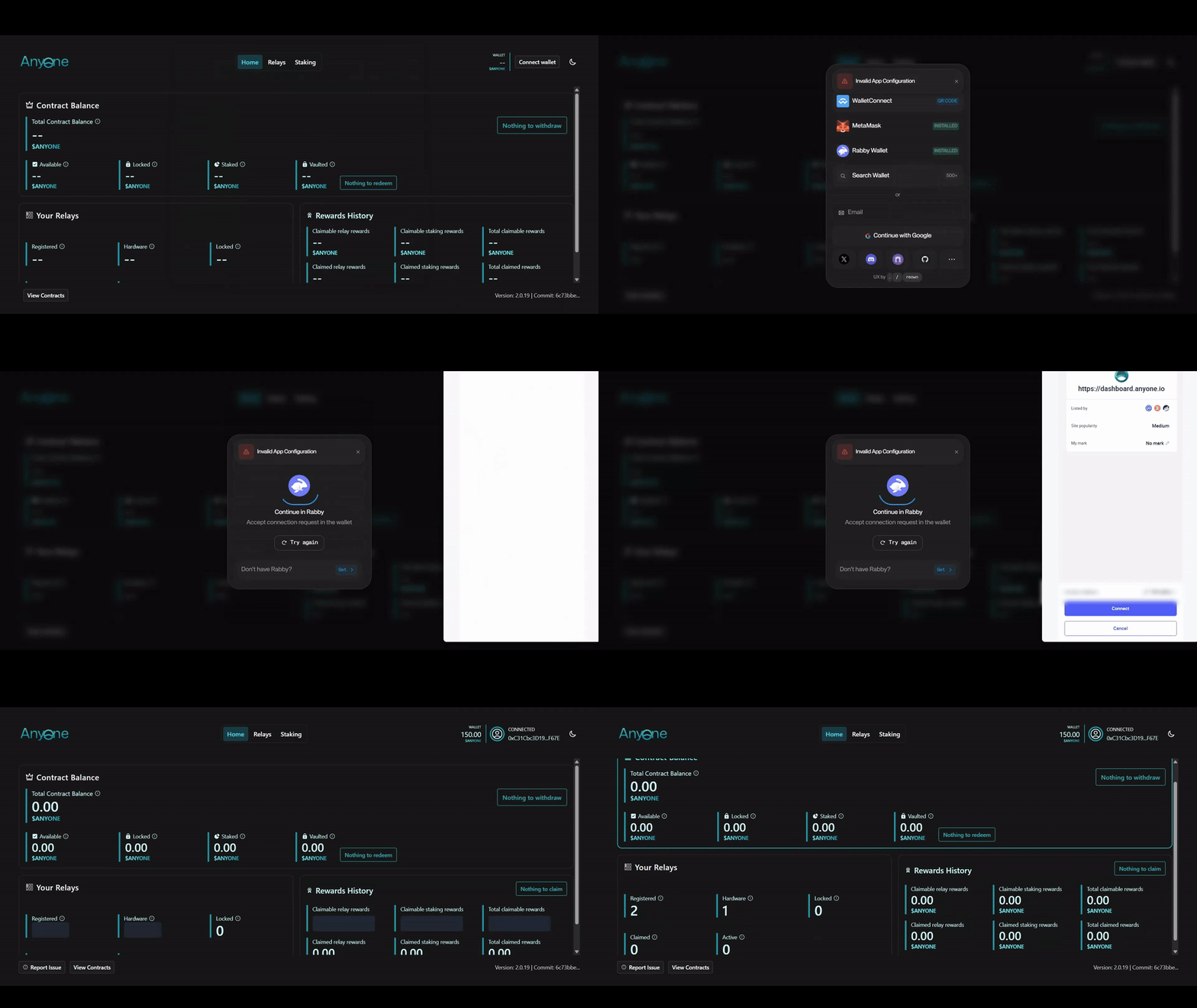
1. Ensure that your wallet is connected to Ethereum Mainnet, which comes as a default setting in most wallets (see [Status & Term History](/dashboard/status.md) for information on mainnet $ANYONE rewards).
2. Open the [Anyone Protocol Dashboard](/dashboard/access.md) in your browser.
3. Click **Connect Wallet** in the top-right corner.
4. Choose your wallet provider (e.g. MetaMask).
5. Follow the prompts to authorize the connection.
Connect EVM wallet to the dashboard
Once connected, after a brief loading period, relay information will be accessible from the dashboard's **Relay** tab.
***
## Locking Anyone Tokens
{% hint style="success" %}
This step is **not** required for [Anyone Hardware Relays](https://www.anyone.io/hardware).\
[Continue to 'Claim Registered Relays'..](#claim-registered-relays)
{% endhint %}
{% hint style="danger" %}
Delegated Locking\
We have revamped the delegated lock to remove the risk of manipulation and add a layer of privacy. These locks works on the protocol level but will not show up by default on the dashboard. Look out for an announcement shortly on how this mechanism works!
{% endhint %}
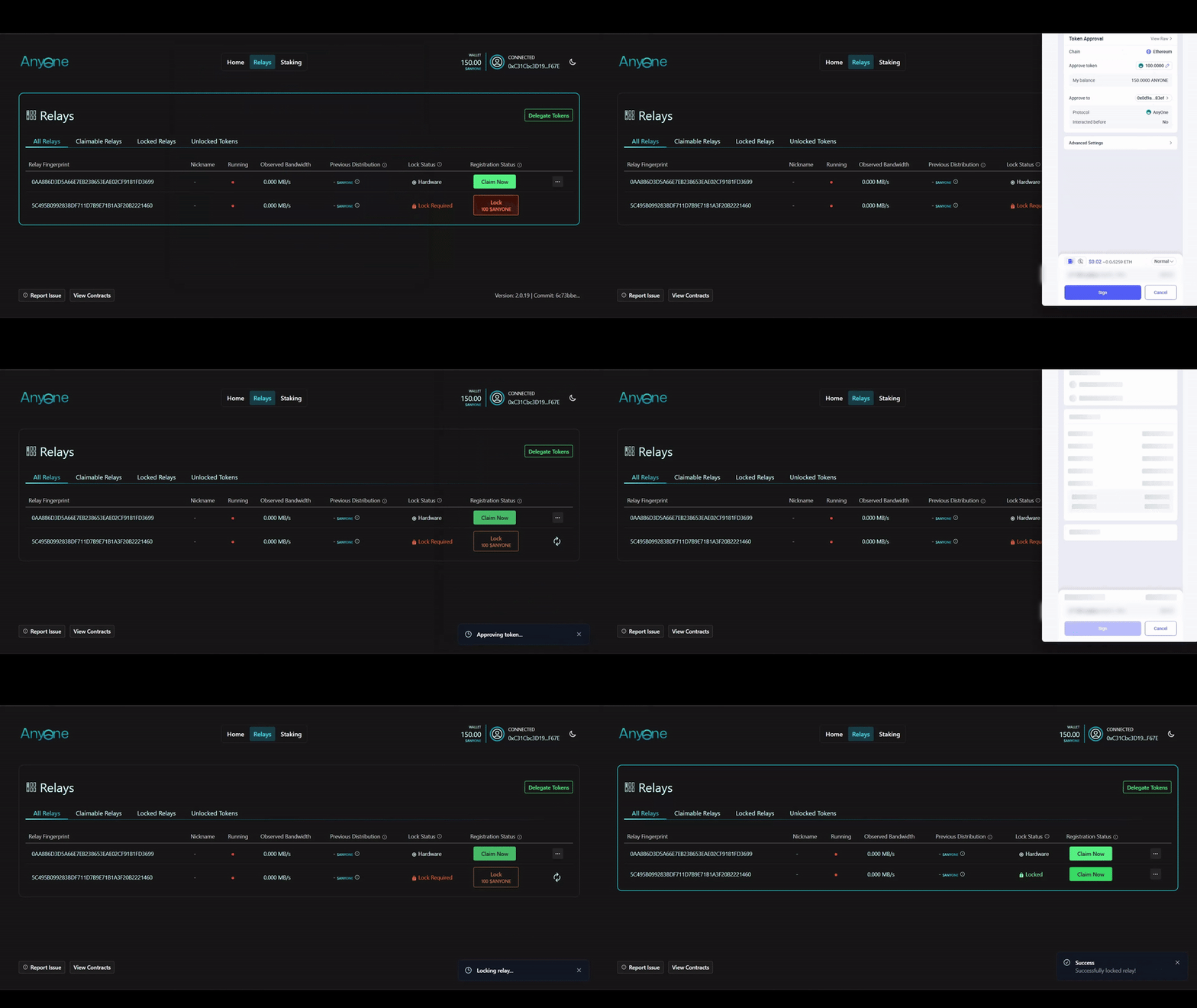
1. Under both **Relays > All Relays** and **Claimable Relays**, \
you'll find to the "**Lock 100 $ANYONE"** button.
2. Proceed by locking the relays you wish to [claim](#claim-registered-relays).
3. Confirm the transactions using your wallet. There will be two interactions.
* Spending Cap Request and,
* Send and lock 100 $ANYONE.
Locking $ANYONE tokens
Once completed, your relays will be eligible to claim.
***
## Claim Registered Relays
#### Once validated through a lock or with a Hardware relay, you can claim your relays to start redeeming your rewards
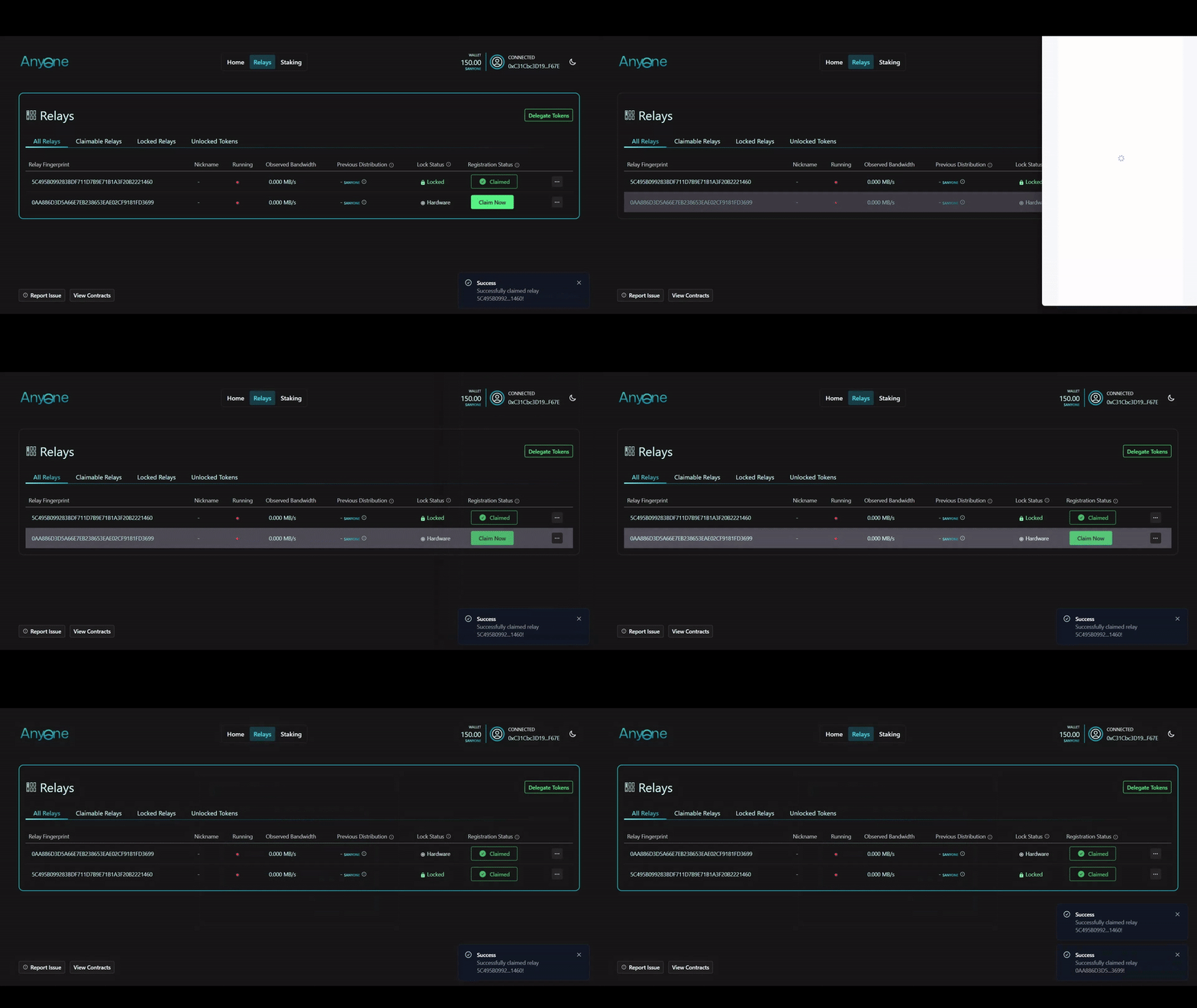
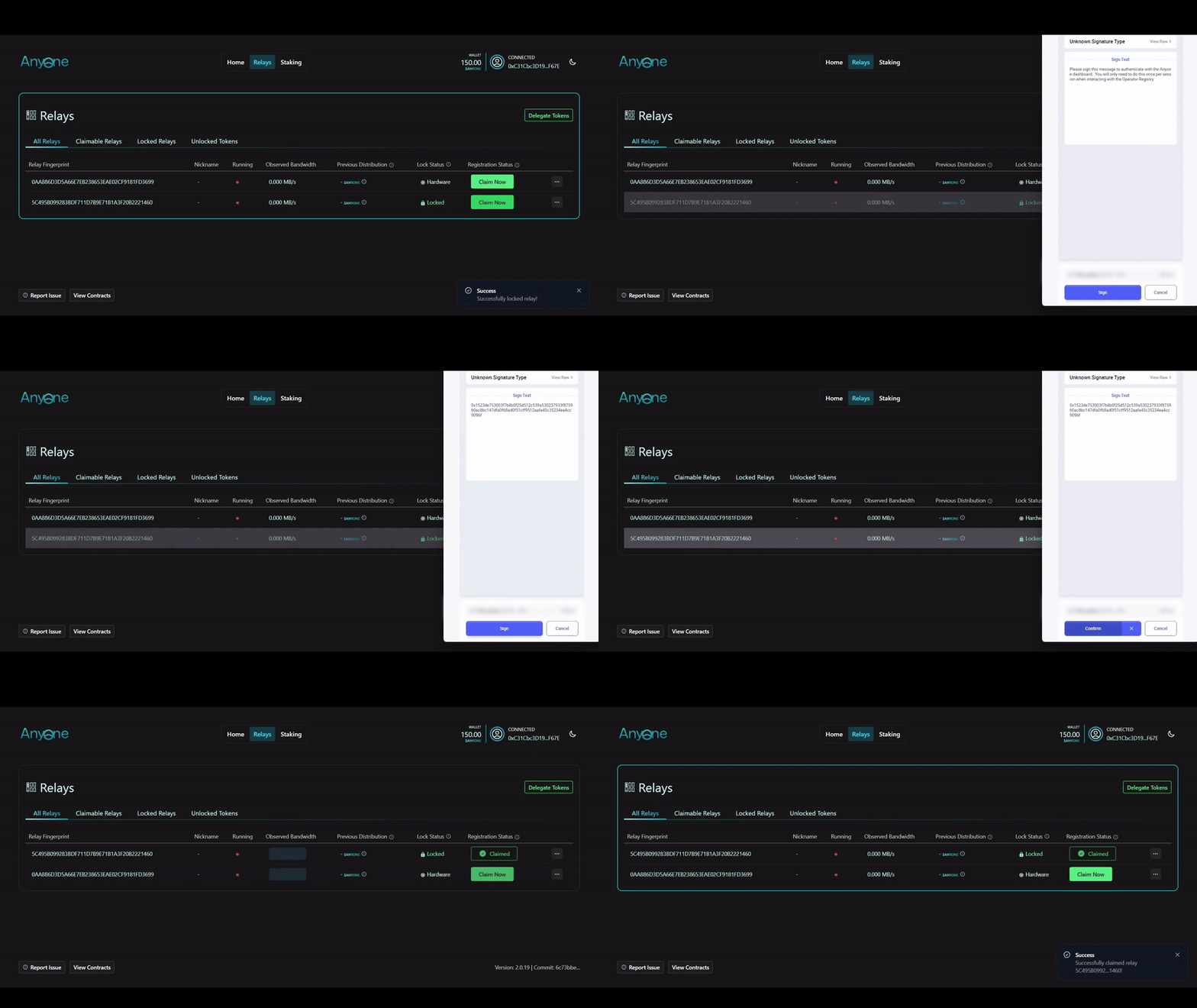
1. In the **Relays** section of the dashboard, select the relays you wish to claim.
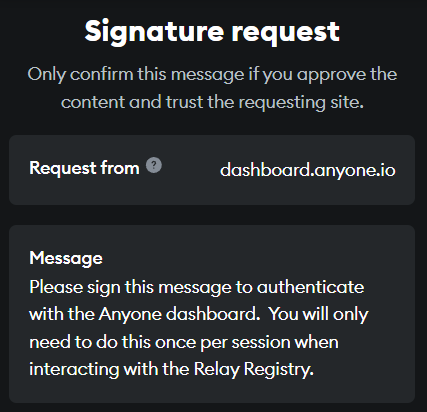
2. Confirm the action by signing the authentication with your wallet.
Claim Anyone Hardware Relay:
Claim Anyone Hardware Relay
Claim Regular Relay:
Claim Regular Relay
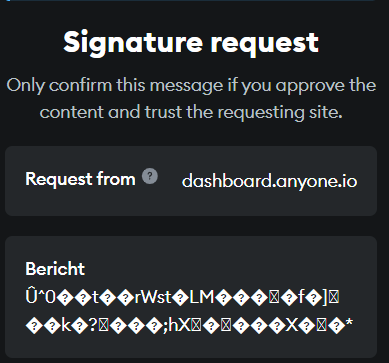
{% hint style="info" %}
**Note:** \
Sometimes the signature request displays the message in wrong format.\
This is a bug that will be investigated and fixed in future versions of the dashboard.
{% endhint %}
Your relays are now claimed and registered. You’ll be accumulating rewards over time.\
\
Come back to the dashboard again, later, and [Redeem some rewards](#redeem-contribution-rewards)..
***
## Redeem Contribution Rewards
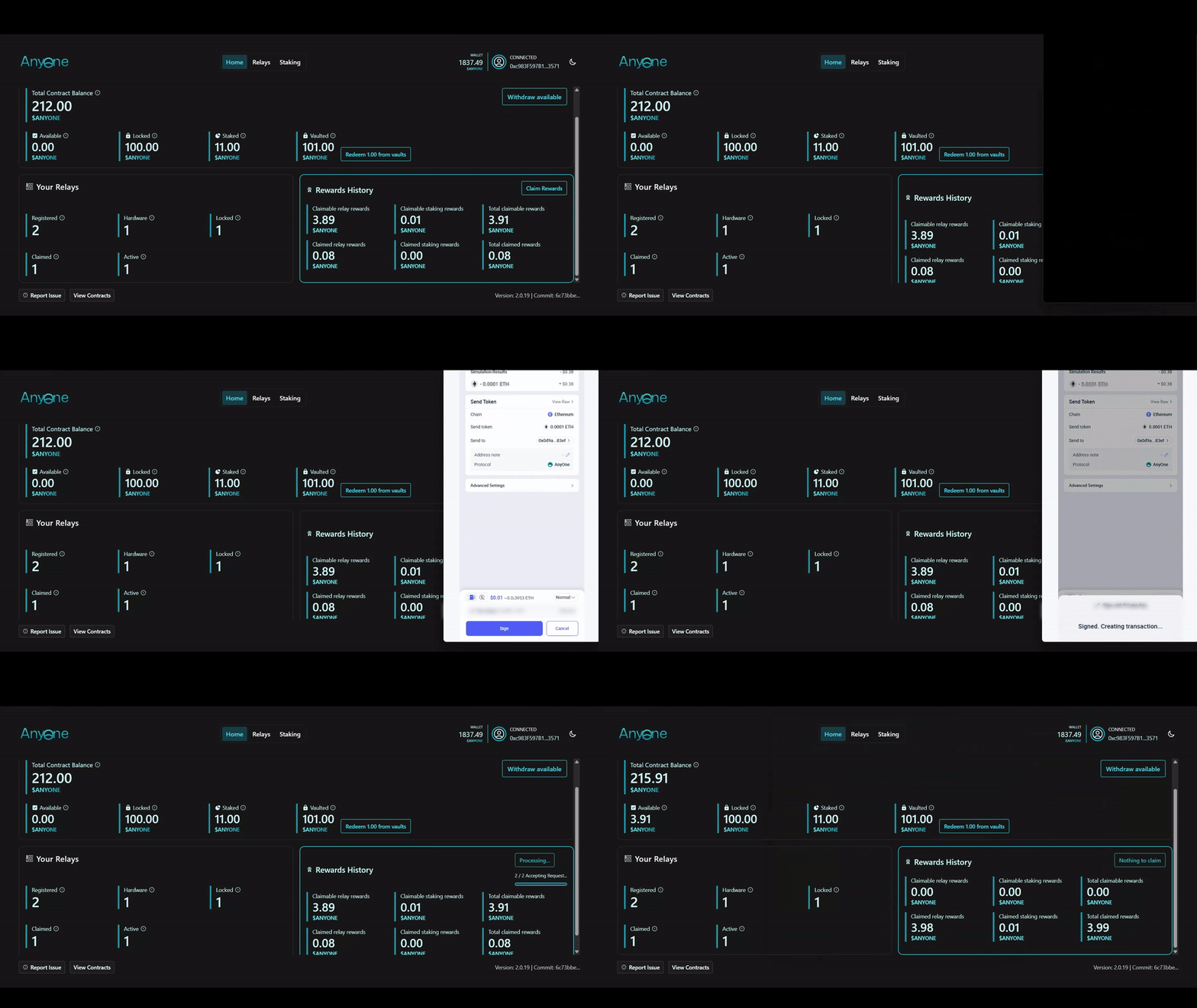
#### To redeem your accumulated rewards, go to the Home page of the Dashboard
1. You’ll see the total $ANYONE tokens available for redemption.
2. Click the Redeem Rewards button and confirm the transaction using your wallet.
3. Rewards will be added to your **Available** balance on the dashboard.
Redeem $ANYONE tokens
***
## Renounce Claimed Relays
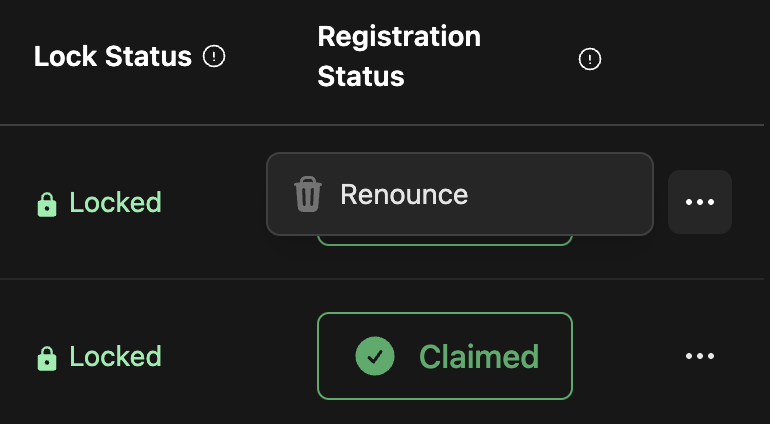
If you want to migrate a fingerprint to another wallet, first change the wallet for the relay, then follow these steps.
1. Select the fingerprint, click on the three dots next to it, and choose **Renounce.**
2. Sign the two transactions. These transactions do not require any gas fees.
The claimed fingerprint will show a loading animation and then disappear from the dashboard.
{% hint style="success" %}

### [See full video tutorial on the Rewards Dashboard page.](/dashboard.md)
{% endhint %}